
How do I access my SubscriptionUpdated 4 months ago
If you have not previously logged in to UMZU.com's new account page, you need to do so.
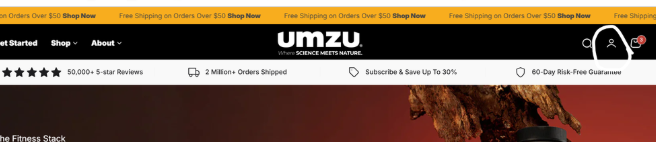
Go to UMZU.com. Click on the profile circle in the upper right-hand corner.
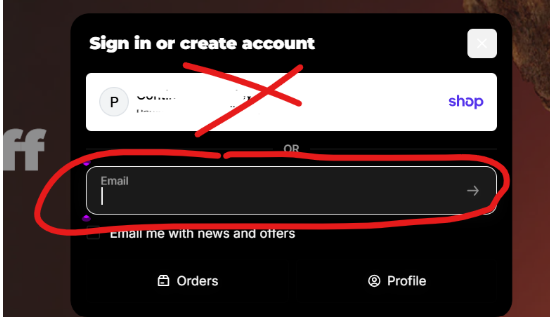
A pop-up box will appear. If you have not logged in, click either the "Shop account" or "More ways to sign in". If you sign in to SHOP, you will follow the sign-in process given by SHOP. Alternatively, you may choose the other option. Type in your email address manually and enter.
Click on " Use email instead".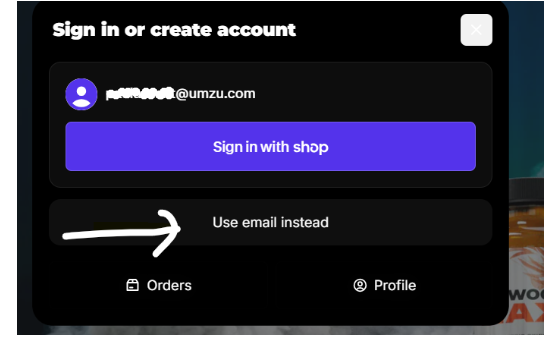
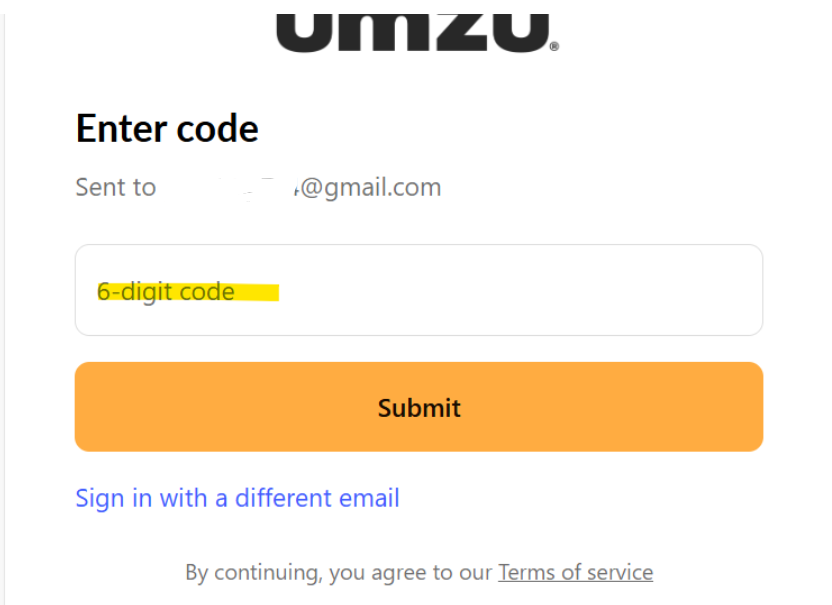
Go to your email and retrieve the 6-digit code, enter the code, and click submit.
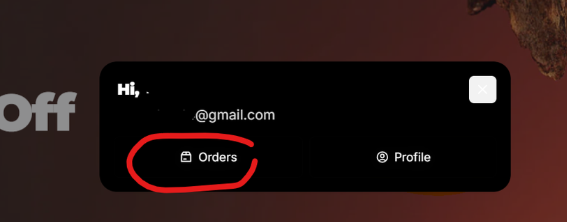
Hover back over your profile icon to bring up the orders profile pop-up box.
Click orders.
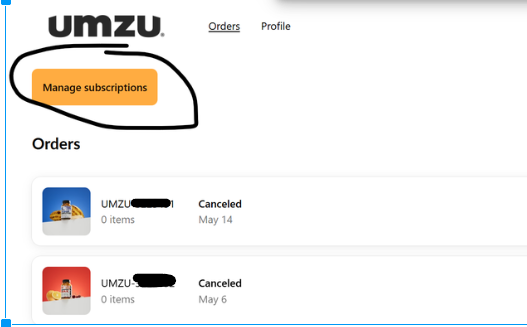
You will see the Manage Subscription button under Orders.
ALTERNATIVELY, access the subscription directly one session at a time:
You may also access the subscription directly by emailing yourself a "magic subscription link". Remember, it must be the emails used for your subscription orders.
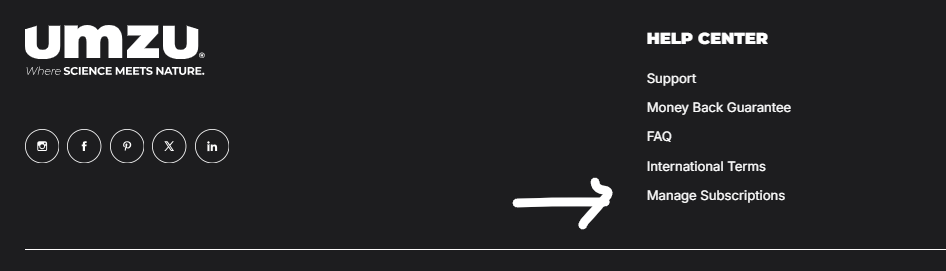
To do that, click on the "Manage Subscription" tab in the footer of our website. You may also click the hyper link below if you are having trouble locating the area. https://www.umzu.com/a/loop_subscriptions/get-subscription-link
You will receive a pop-up to enter your email address.
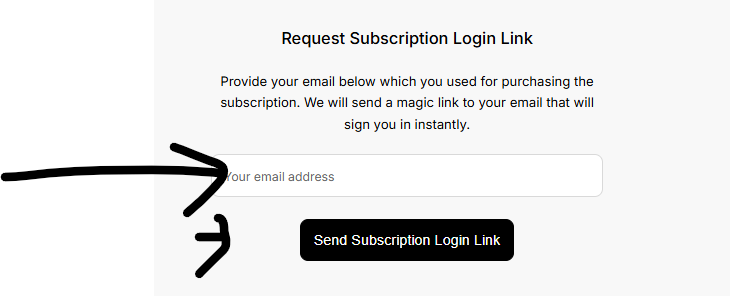
After clicking on the "Send Subscription Login Link", you will receive an email with direct one-time access to our subscription account.
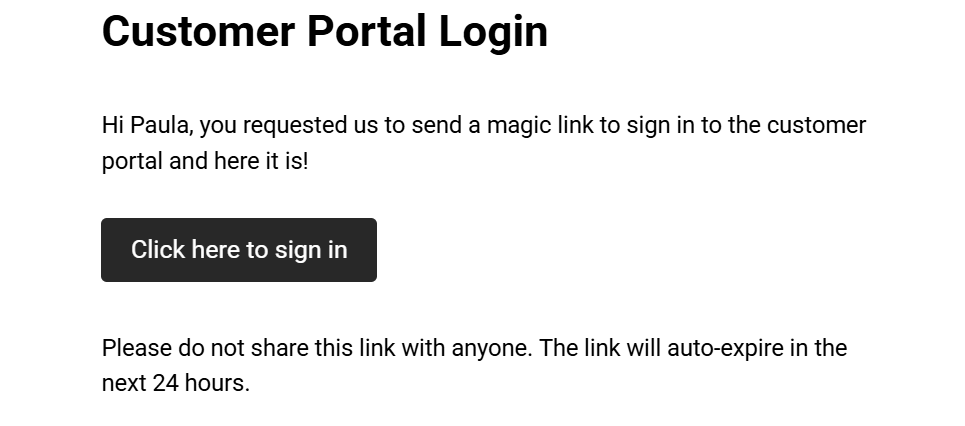
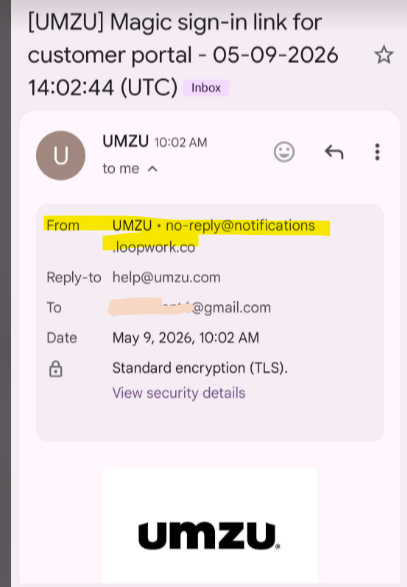
You may need to check your "other" folders for the email and approve or re-route the sender as highlighted below.
If you still do not receive an email, please try any alternate email you may have used for your previous orders. 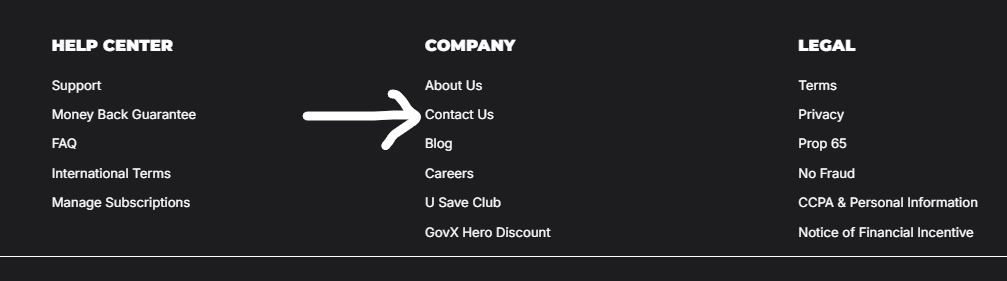
If you are still experiencing issues accessing your subscription, please email us at [email protected], or use the customer contact form in the same footer of our website.
If you have an urgent request that can not wait for support, please include that instruction in your email.