
Changing Delivery Frequency of One Product within a group SubscriptionUpdated 4 months ago
Subscriptions are separated by their billing frequency. Changing the entire subscription's billing frequency will differ from changing the billing frequency for a specific product within a subscription. If there is only one product you need to change in a group of products, you will need to remove the product from its subscription. You will then need to create a new subscription or add it to another subscription in your account with the desired billing frequency.
Click here for Login Help: Account Access Instructions
STEP 1: Access your account Profile and click on "Orders"
STEP 2: Once you've successfully logged in, select "Manage Subscriptions".
STEP 3: Locate the subscription and click "view details".
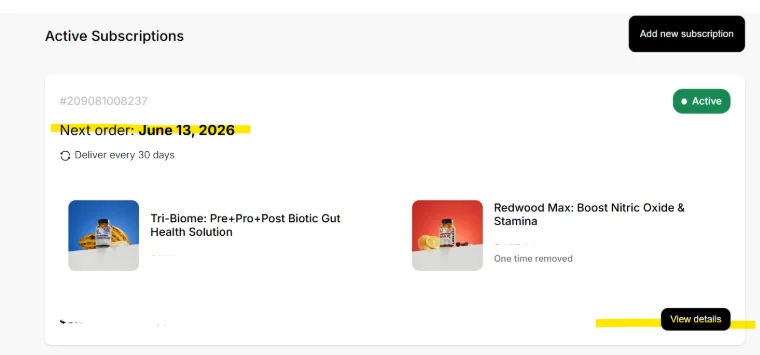
STEP 4: Scroll down to the middle of the page to the product box you wish to change and click "edit"
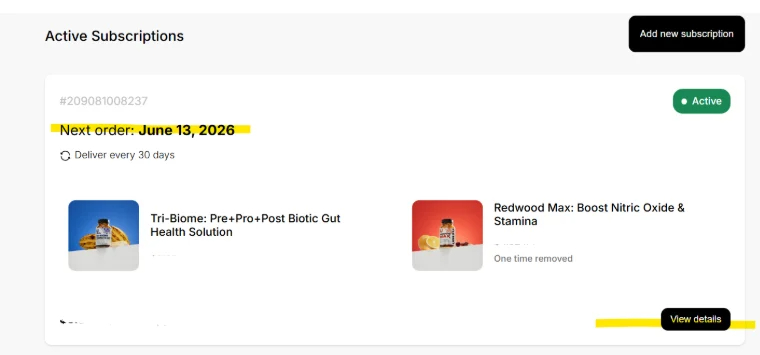
STEP 5: Click "Remove"
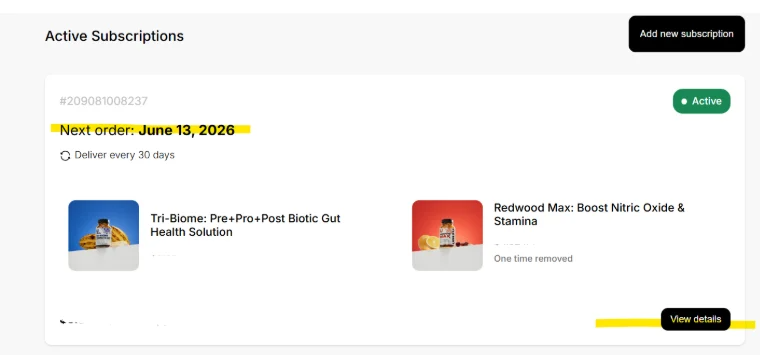
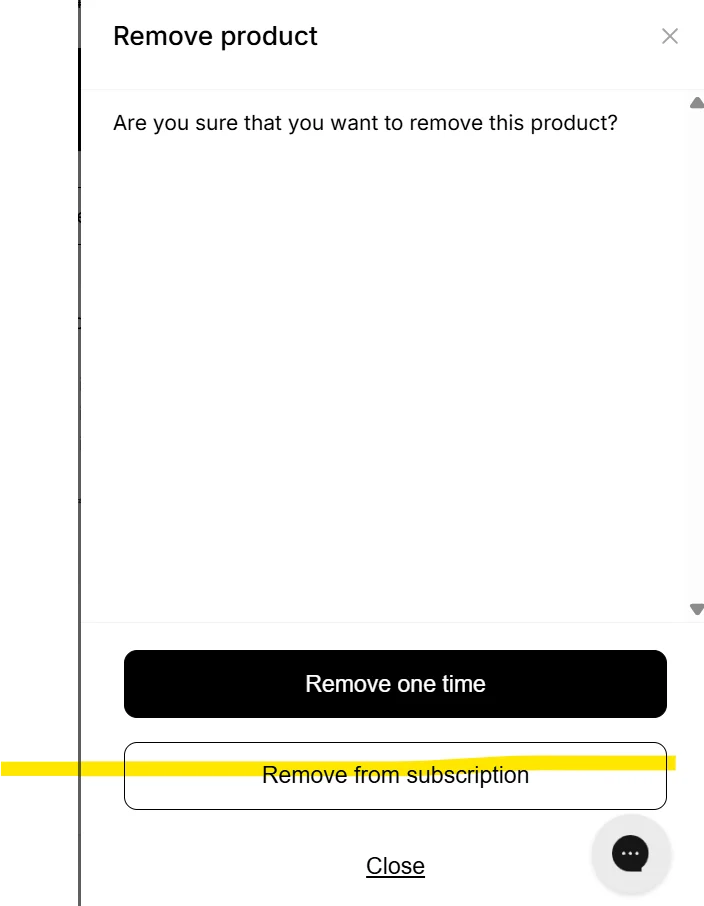
STEP 6: Click "Remove from subscription"
Next, create a new subscription with the new billing frequency:
STEP 7: Go to the Active Subscriptions page and click on "Add new subscription".
STEP 8: Browse the products until you find the product you removed.
STEP 9: Select the product by pushing the "select" button.
STEP 10: Select Quantity and billing plan, then click "Next".
STEP 11: You will be notified here if you have a subscription with the same billing frequency that can be merged. Please either merge your new subscription with an existing subscription or create a separate subscription.
Please return to our Subscription list to confirm you made the changes and that there are no duplicates.